

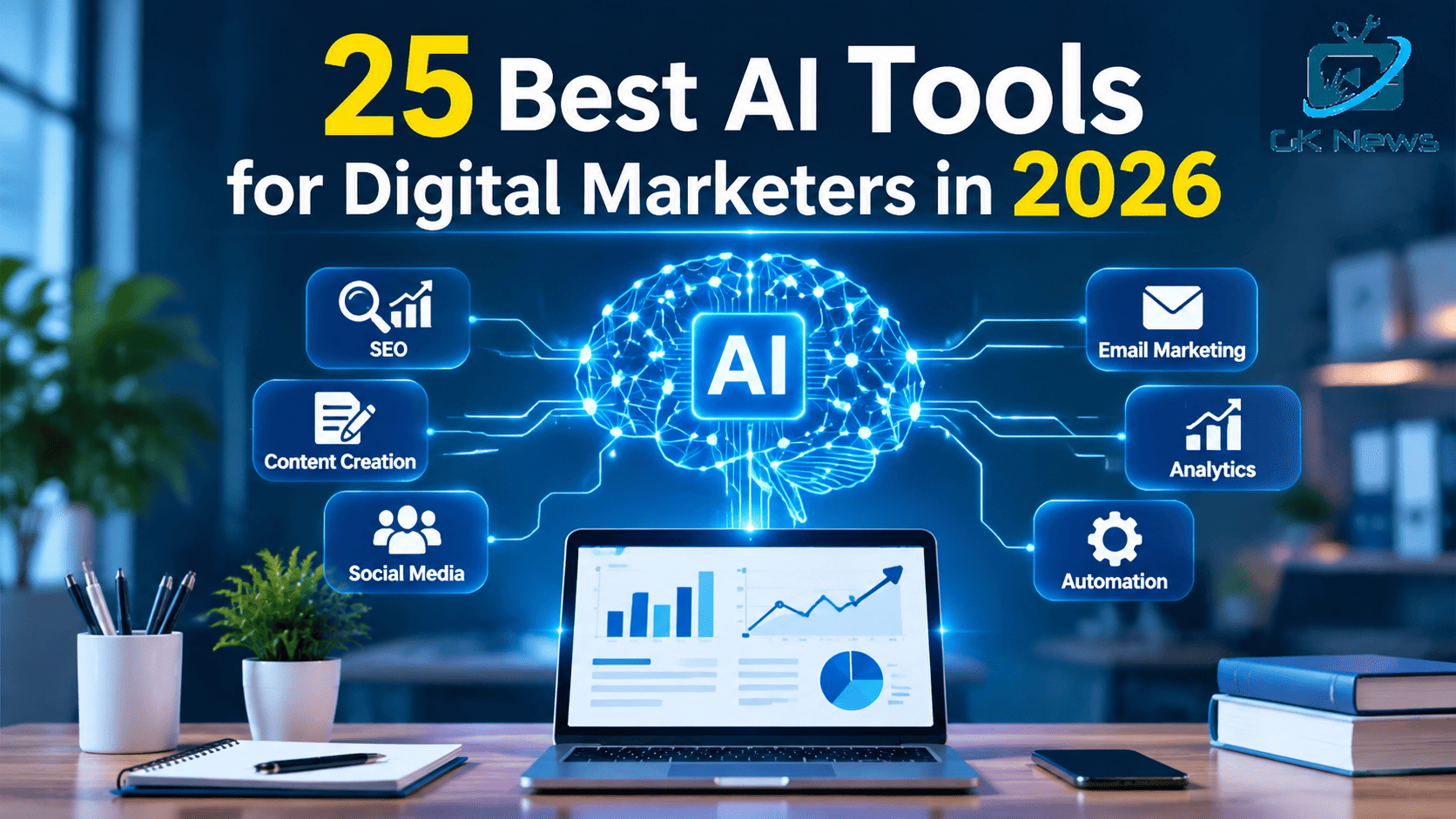
AI tools help digital marketers create content, research keywords, manage social media, improve email campaigns, and understand marketing data. The best choice depends on your goals, budget, team size, and existing software.
This guide compares 25 AI tools for digital marketing across seven main areas. It explains what each tool does, who should use it, and which limitations to consider before paying for a subscription. You will also find options for beginners, freelancers, agencies, and small businesses.
What are AI tools for digital marketing?
AI tools for digital marketing use artificial intelligence to support tasks such as content creation, customer research, SEO, advertising, campaign planning, and performance analysis. Some tools focus on one task, while others combine several marketing functions in one platform.
For example, a content marketer can use ChatGPT to develop article outlines, Semrush to research keywords, Canva to create graphics, and Google Analytics 4 to measure website engagement. The marketer still needs to review the output, check facts, and make decisions.
How did we select the best AI marketing tools?
This list focuses on practical uses rather than popularity alone. The recommendations consider the tool’s main purpose, ease of use, features, cost, workflow fit, and limitations. This is an editorial comparison, not a laboratory test or a claim that every product performs equally well. Features and prices can change, so check each provider’s official website before purchasing.
25 best AI tools for digital marketers
AI tools for content creation and writing
1. ChatGPT
Best for: Content planning, brainstorming, research assistance, and marketing copy.
ChatGPT can help marketers create blog outlines, draft social posts, develop campaign ideas, summarize research, and rewrite text for different audiences. It works well as a flexible assistant across many marketing tasks.
Limitation: Review facts, citations, brand tone, and originality before publishing. Official pricing.
2. Claude
Best for: Long documents, editing, and detailed content analysis.
Claude can help marketers organize large amounts of text, refine articles, compare messaging options, and create structured content plans. It can also assist with brand guidelines and campaign documents.
Limitation: Check factual claims and ensure the output reflects your audience and business goals. Official website.
3. Google Gemini
Best for: Brainstorming, research assistance, and Google ecosystem workflows.
Gemini can support content planning, summaries, idea generation, and selected workflows with Google services. It can be useful for teams that already work with Google Workspace.
Limitation: Available features depend on the account, plan, and connected services. Official website.
4. Jasper
Best for: Brand consistent marketing content.
Jasper focuses on marketing workflows, campaign content, and brand voice. Teams can use it to develop consistent messages across landing pages, advertisements, emails, and other marketing assets.
Limitation: Teams should test output quality against their brand standards before scaling production. Official pricing.
5. Grammarly
Best for: Editing, grammar, clarity, and tone.
Grammarly helps marketers improve readability and polish emails, articles, website copy, and business messages. Its writing assistance can help teams maintain a clear and consistent style.
Limitation: A grammar check cannot replace subject knowledge, fact checking, or editorial judgment. Official plans.
AI tools for SEO and search research
6. Semrush
Best for: Keyword research, competitor analysis, and SEO workflows.
Semrush helps marketers study search demand, track rankings, audit websites, and analyze competitors. Its toolset also supports content research and selected AI visibility workflows.
Limitation: Data needs interpretation. A keyword opportunity does not guarantee traffic or rankings. Official pricing.
7. Ahrefs
Best for: Backlink research, keyword analysis, and competitor SEO.
Ahrefs helps SEO professionals inspect backlinks, research search terms, study competing pages, and find content opportunities.
Limitation: Search metrics are estimates. Use them alongside first party analytics and actual business results. Official pricing.
8. Surfer
Best for: Content briefs and on page content optimization.
Surfer helps writers compare pages that rank for a topic and identify relevant terms, headings, and content gaps. It can support a more organized content editing process.
Limitation: Do not follow content scores blindly. Accuracy, usefulness, and search intent matter more than reaching a numerical target. Official website.
9. Frase
Best for: Researching topics and preparing content briefs.
Frase helps marketers organize questions, review search results, and structure content around reader needs. It can reduce the time spent planning an article.
Limitation: Review source quality and add original analysis instead of copying common points from competing pages. Official website.
10. Perplexity
Best for: Initial research and source discovery.
Perplexity can help marketers investigate a topic, locate supporting sources, and identify questions for further research. It can speed up the early stages of a content project.
Limitation: Open the cited sources and verify important claims before relying on them. Official website.
AI tools for visual content and social media
11. Canva
Best for: Social graphics, presentations, advertisements, and marketing visuals.
Canva offers templates and AI assisted design features that help marketers create campaign assets without advanced design skills. It suits small teams that need consistent visuals across channels.
Limitation: Review layouts, image rights, text accuracy, and brand consistency. Official pricing.
12. Adobe Express
Best for: Quick promotional graphics, short videos, and branded assets.
Adobe Express combines templates, editing tools, and generative AI features. Marketers can use it to prepare social posts and campaign materials for different platforms.
Limitation: Check export options and premium feature limits before choosing a plan. Official website.
13. Buffer
Best for: Scheduling social posts and organizing publishing.
Buffer helps marketers plan posts, manage publishing schedules, and review social media performance. Its AI assistant can help develop captions and adapt messages for different channels.
Limitation: Confirm which networks, channels, and analytics features your plan supports. Official pricing.
14. Hootsuite
Best for: Managing several social media accounts.
Hootsuite supports social publishing, scheduling, monitoring, and reporting. Its AI features can assist with caption writing and social content planning.
Limitation: Smaller teams should compare its price with simpler scheduling tools. Official plans.
15. Predis.ai
Best for: Generating social media creatives and post ideas.
Predis.ai helps marketers prepare social content, captions, and visual assets. It can support businesses that need to create regular promotional posts.
Limitation: Edit generated content carefully so that it reflects your actual products and brand voice. Official website.
AI tools for email marketing and automation
16. Mailchimp
Best for: Email campaigns, audience management, and marketing messages.
Mailchimp helps businesses manage email lists, create campaigns, and automate selected customer communications. Available AI features can support content creation and campaign work.
Limitation: Compare contact limits, sending limits, and automation features before committing. Official pricing.
17. HubSpot Marketing Hub
Best for: Connecting email campaigns, lead management, and customer data.
HubSpot brings marketing activities and customer relationship management into one platform. Its AI capabilities can support content, campaign workflows, and customer engagement.
Limitation: Advanced automation and reporting can cost more as your team and contact database grow. Official pricing.
18. ActiveCampaign
Best for: Email sequences, customer journeys, and targeted campaigns.
ActiveCampaign helps marketers build automated communication flows based on customer actions and campaign conditions. It can support lead nurturing and repeat engagement.
Limitation: Complex workflows require careful setup, testing, and ongoing maintenance. Official pricing.
19. Zapier
Best for: Connecting marketing apps and automating repetitive tasks.
Zapier can connect supported applications so that an event in one tool triggers an action in another. For example, a new form submission could start a lead notification workflow.
Limitation: Check task limits, app compatibility, and error handling before automating important processes. Official pricing.
20. Make
Best for: Building multi step marketing workflows.
Make lets users connect supported apps through visual workflows. Marketing teams can use it to move data between systems, organize leads, and reduce manual work.
Limitation: Complex scenarios need testing, documentation, and monitoring. Official pricing.
AI tools for analytics, video, and customer insights
21. Google Analytics 4
Best for: Measuring website traffic, engagement, and conversions.
Google Analytics 4 helps marketers understand how visitors interact with websites and apps. Its reporting and insights can support decisions about landing pages, campaigns, and user journeys.
Limitation: Configure events and conversions correctly. Analytics data alone does not explain every reason behind customer behavior. Official website.
22. Microsoft Clarity
Best for: Understanding how visitors use website pages.
Clarity provides session recordings and heatmaps that help marketers identify confusing page layouts and user interaction problems. These insights can guide conversion rate improvements.
Limitation: Protect visitor privacy and follow consent requirements when collecting behavioral data. Official website.
23. Looker Studio
Best for: Marketing dashboards and performance reports.
Looker Studio helps teams turn supported data sources into visual reports. Marketers can use dashboards to monitor campaign results, traffic trends, and key business metrics.
Limitation: Poor source data or incorrect calculations can produce misleading reports. Official website.
24. Descript
Best for: Editing marketing videos, podcasts, and interviews.
Descript combines transcription with audio and video editing features. It can help teams turn long recordings into shorter content for social media, training, and campaigns.
Limitation: Review transcripts and edits to avoid errors in names, technical terms, and important statements. Official pricing.
25. Synthesia
Best for: Training videos, product explainers, and presenter led marketing videos.
Synthesia helps teams create videos with AI avatars and generated speech. It can be useful when a business needs repeatable video content in several languages.
Limitation: Check avatar, voice, language, and usage rights. Disclose synthetic media when the context calls for it. Official pricing.
Comparison table: Which AI tools should you choose?
| Marketing need | Recommended tool | Main use | Cost consideration |
|---|---|---|---|
| General marketing work | ChatGPT | Ideas, drafts, research support | Free and paid plans |
| Long document editing | Claude | Analysis and writing | Free and paid plans |
| Brand content | Jasper | Marketing copy and brand voice | Paid plans |
| Keyword research | Semrush | Search and competitor analysis | Paid plans |
| Backlink research | Ahrefs | Link and keyword analysis | Paid plans |
| Content optimization | Surfer | Content briefs and page improvements | Paid plans |
| Social graphics | Canva | Visual content | Free and paid plans |
| Social scheduling | Buffer | Publishing calendar | Free and paid plans |
| Email campaigns | Mailchimp | Campaigns and audience lists | Limits vary by plan |
| Marketing automation | HubSpot | Customer data and campaigns | Free tools and paid tiers |
| App automation | Zapier | Connect marketing systems | Free and paid plans |
| Website analytics | Google Analytics 4 | Traffic and conversions | Free standard product |
| User behavior | Microsoft Clarity | Heatmaps and recordings | Free core product |
| Video editing | Descript | Audio and video content | Free and paid plans |
| AI presenter videos | Synthesia | Explainer and training videos | Plan limits apply |
Check official pricing pages before making a purchase. Some providers price by user, contact count, usage credits, tracked keywords, or automation tasks.
How do you choose the right AI marketing software?
Start with the marketing problem you want to solve. Do not buy several subscriptions just because they offer AI features.
- Set a clear goal. Decide whether you need more qualified leads, faster content production, better search visibility, or stronger campaign reporting.
- Review your current workflow. Identify tasks that take too much time or create repeated errors.
- Test two or three suitable tools. Use a free plan or trial where available. Test each tool on the same task.
- Compare output quality and total cost. Consider subscription fees, staff time, usage limits, and integration costs.
- Measure business results. Track metrics such as qualified leads, conversion rate, content production time, and campaign revenue.
For example, a freelancer who publishes four blog posts each month may need ChatGPT, an SEO research tool, and Canva. A marketing agency that manages many client accounts may need stronger reporting, workflow automation, and team permissions.
Which AI tools are best for small businesses?
Small businesses often benefit from a simple set of tools that cover several tasks. Start with free versions of ChatGPT, Canva, Google Analytics 4, and Microsoft Clarity where their features meet your needs.
Add a paid SEO platform or email automation service when you have a clear reason to use its advanced features. This approach keeps costs under control while helping you learn which tools produce useful results.
Are free AI tools enough for digital marketing?
Free AI tools can support brainstorming, basic content creation, graphic design, and website measurement. However, free plans often limit usage, collaboration, integrations, or advanced reporting.
A free plan may be enough for an individual marketer. An agency with several clients may need paid plans to manage larger workloads and maintain consistent processes. Compare actual limits rather than assuming every free plan offers the same value.
Common mistakes to avoid when using AI tools
AI can improve a marketing workflow, but poor use can waste time and harm trust. Avoid these common mistakes.
- Publishing without fact checking. AI tools can produce incorrect details or unsupported statements. Verify important claims against reliable sources.
- Creating generic content at scale. Add useful analysis, original examples, and information that meets your audience’s needs.
- Ignoring brand voice. Review every asset for tone, accuracy, and relevance.
- Buying overlapping subscriptions. Check whether your current software already includes the features you need.
- Trusting SEO scores too much. Content scores and keyword metrics can guide editing, but they cannot guarantee rankings.
- Automating every decision. Keep human review for important campaign choices, customer communication, and sensitive information.
- Ignoring privacy. Check each provider’s data handling terms before uploading customer records, confidential business information, or personal data.
Google’s guidance focuses on helpful, reliable, people first content, regardless of whether a person uses AI to create it. AI assistance does not automatically make content spam. However, using automation mainly to manipulate search rankings violates Google’s spam policies. Read the Google Search guidance on AI generated content before building an automated publishing process.
Frequently asked questions
1. What are the best AI tools for digital marketers?
ChatGPT, Semrush, Canva, HubSpot, and Google Analytics 4 are useful starting points for different marketing needs. ChatGPT supports content tasks, Semrush supports SEO research, Canva supports design, HubSpot supports marketing workflows, and Google Analytics 4 measures website activity. The right choice depends on your goals and budget.
2. Which AI tools are free for digital marketers?
ChatGPT, Canva, Buffer, Google Analytics 4, Microsoft Clarity, and Looker Studio offer free access to at least some features. Free access may come with usage limits or fewer advanced features. Check each provider’s current terms before relying on a free plan.
3. Can AI tools replace digital marketers?
No. AI tools can assist with research, content drafts, reporting, and repetitive tasks. Marketers still need to understand customers, set strategy, verify information, make creative decisions, and evaluate business results. AI works best when it supports human judgment.
4. Which AI tools are best for SEO?
Semrush and Ahrefs support keyword and competitor research. Surfer and Frase help with content planning and optimization. ChatGPT can assist with brainstorming and outlining. Use these tools alongside Google Search Console, analytics data, and careful editorial review.
5. How can AI tools help with social media marketing?
AI tools can suggest post ideas, draft captions, prepare visual assets, and help schedule publishing. Canva supports design, Buffer supports scheduling, Hootsuite supports social media management, and Predis.ai supports social content creation. Review each post before publishing to ensure it fits the platform and audience.
6. Do AI tools guarantee better SEO rankings?
No. AI tools can help marketers research topics, improve workflows, and assess content. They cannot guarantee higher rankings or citations in Google AI Overviews. Google emphasizes helpful content, reliable information, and a satisfying experience for readers. See Google’s guidance on creating helpful, reliable, people first content.
Conclusion
The best AI tools for digital marketers are the ones that solve real problems and fit your workflow. ChatGPT and Claude can support content work. Semrush and Ahrefs help with SEO research. Canva and Buffer support social media production. HubSpot and ActiveCampaign help manage customer communication, while analytics tools help you measure results.
Start with a small set of tools, test them on real tasks, and measure their value before expanding your subscriptions. Always review AI generated work for accuracy, originality, privacy, and brand fit.
For more practical guidance on AI, SEO, and digital marketing, GK News Magazine helps readers understand marketing technology and make informed decisions about the tools they use.